From Telegram
Telegram has a native wallet app literally just called “Wallet”. You can search @wallet in Telegram to find it, or click here.
Step 1. Create a wallet and top it up
There are many ways to top up your Telegram @wallet - follow the instructions within this app. Make sure you get $USDT - either via direct on-ramp or later swapping to it.
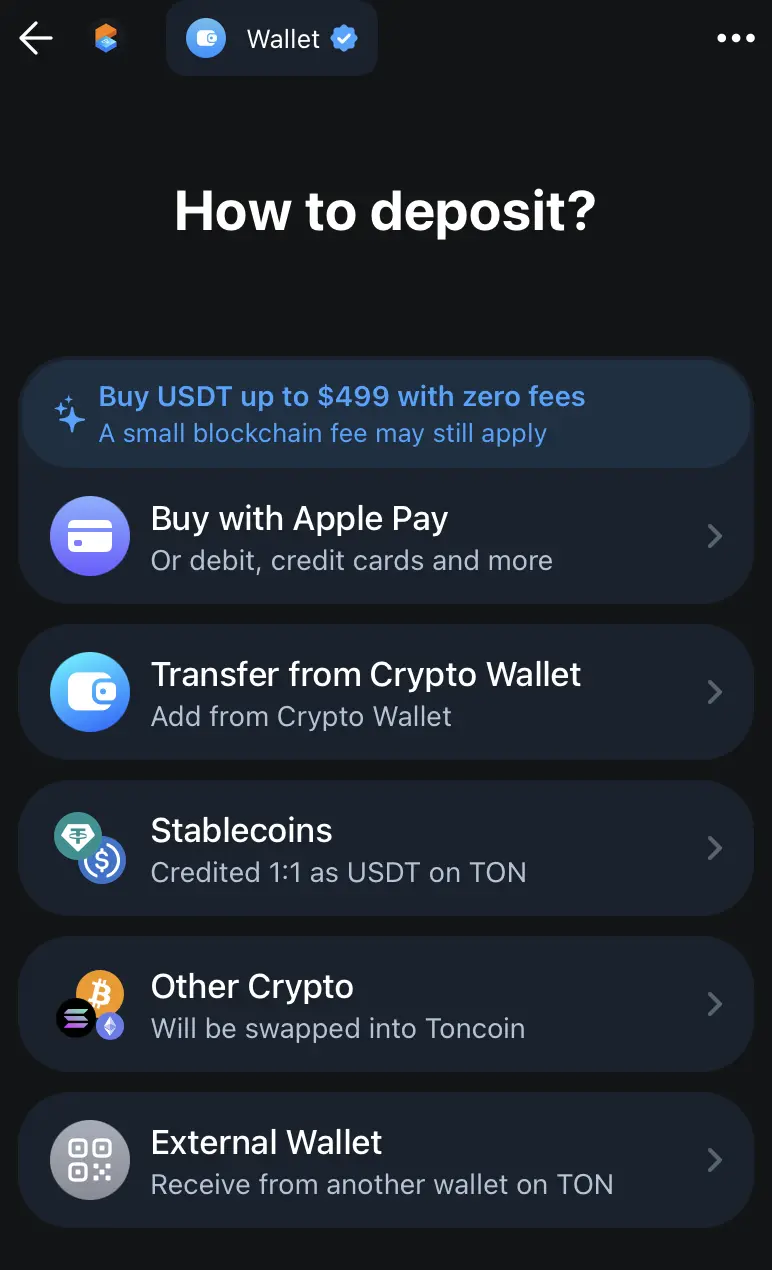
There are various ways to top up your Telegram @wallet
Step 2. Copy your CCoT wallet address
Copy your CCoT wallet address from the profile dropdown by tapping it
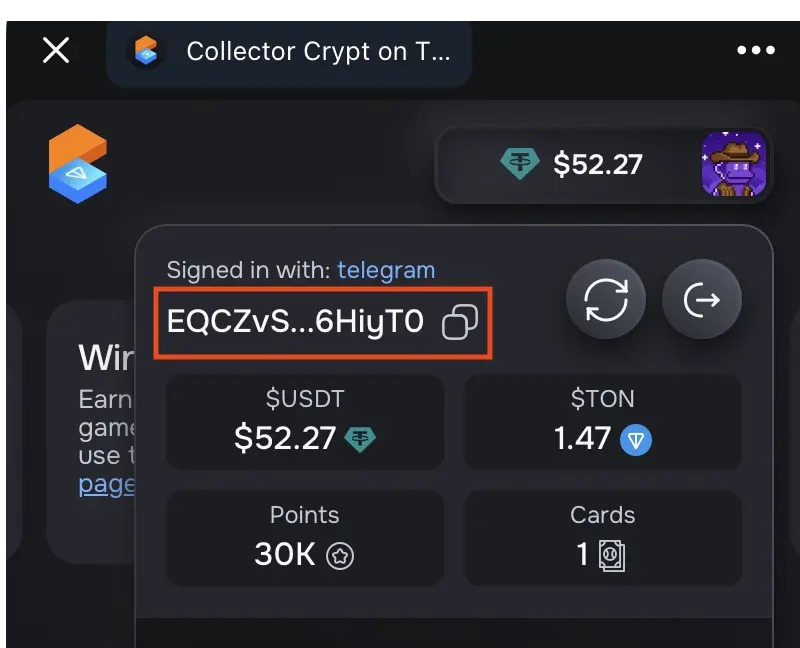
Tap your address to copy it
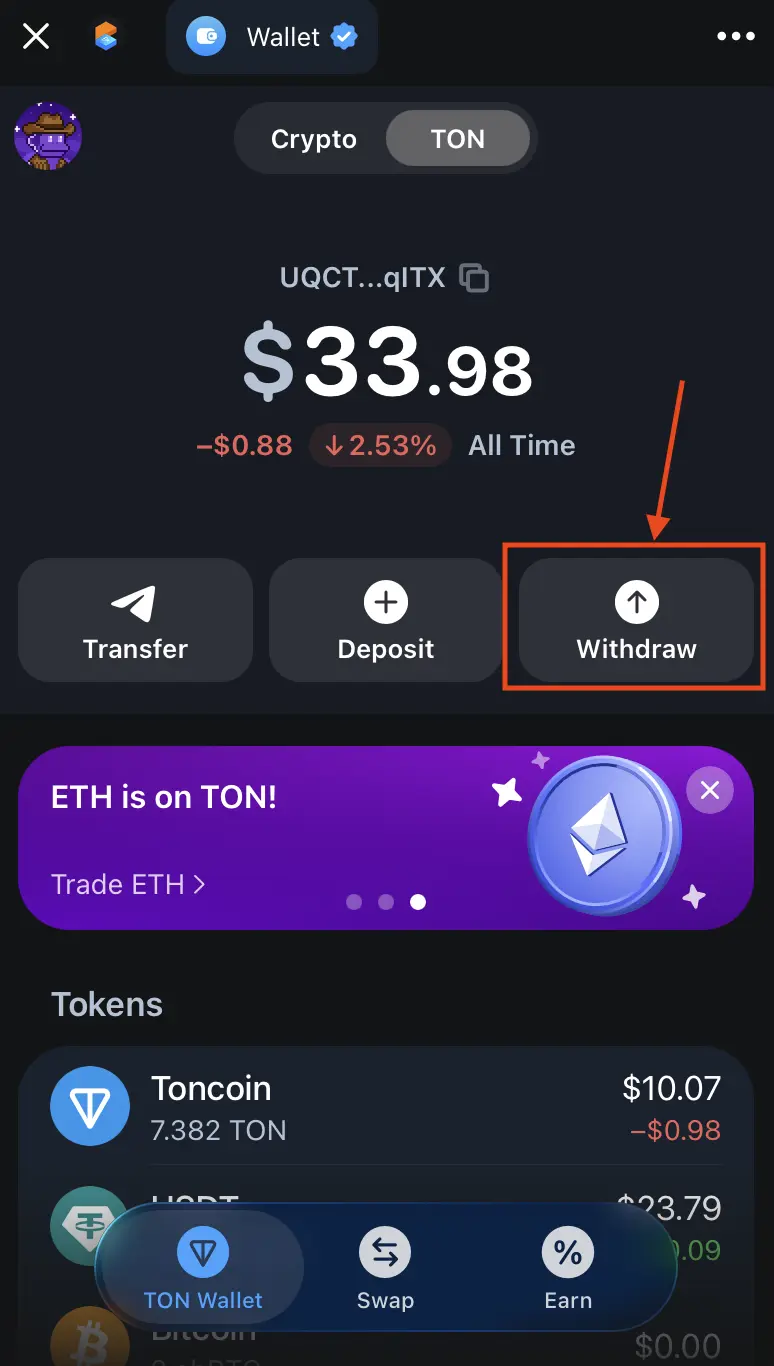
Step 3. Proceed with @wallet “withdraw” (transfer) flow
Click the withdraw button inside the @wallet app
Select External wallet
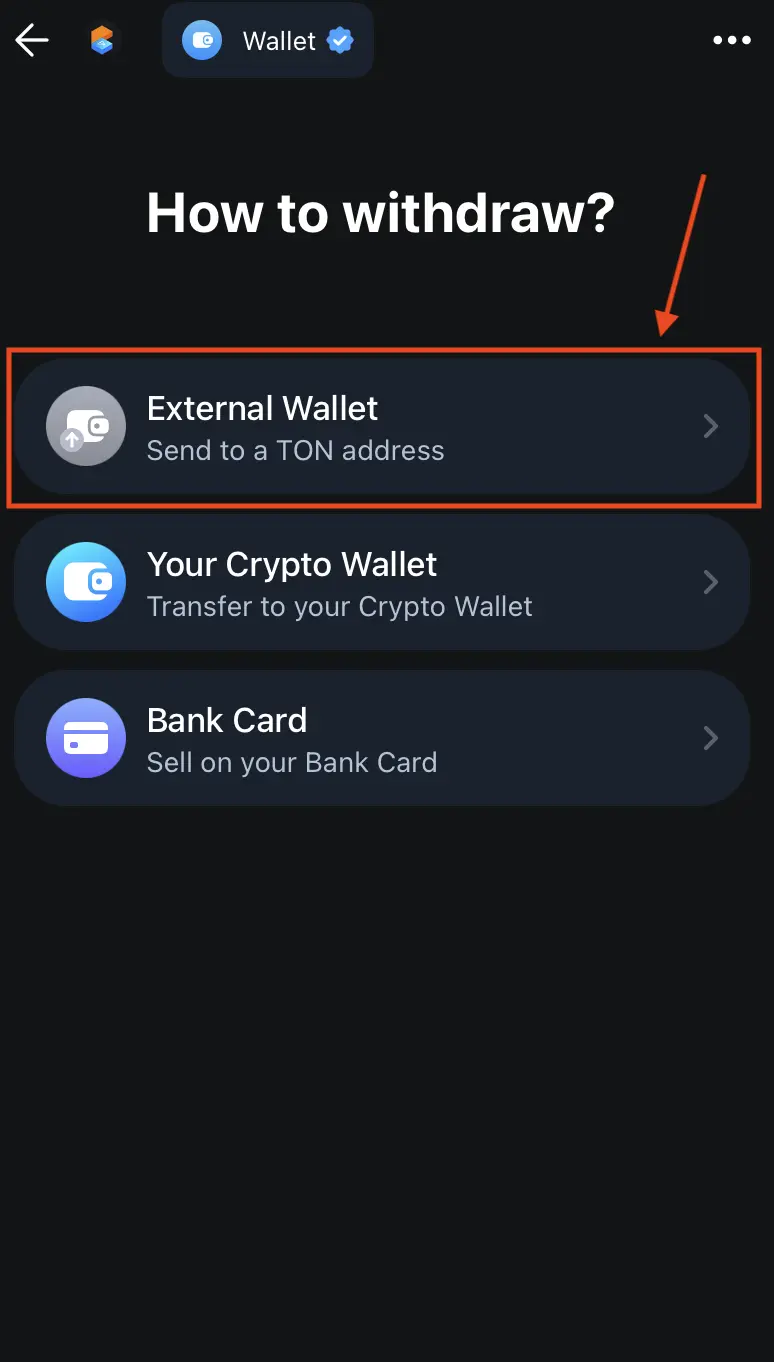
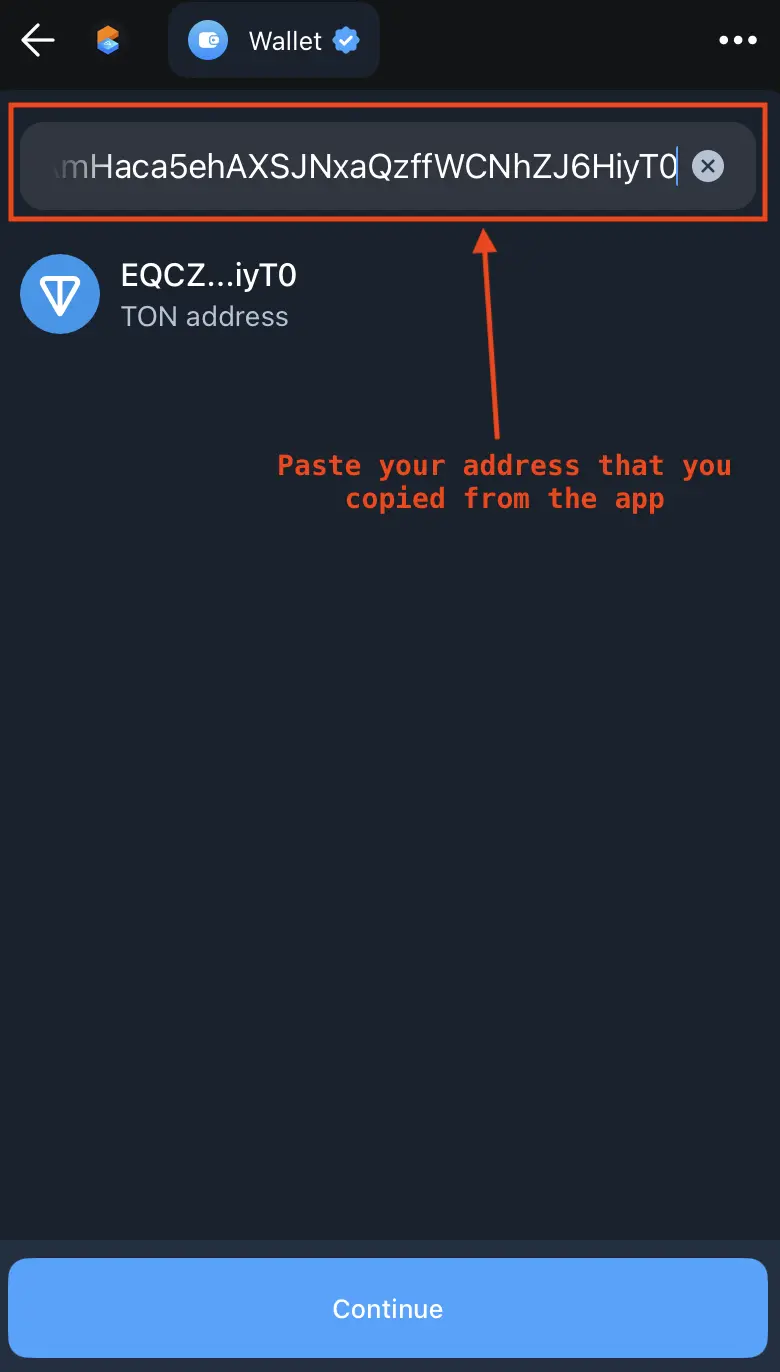
Paste your CCoT wallet address that you copied from the app earlier
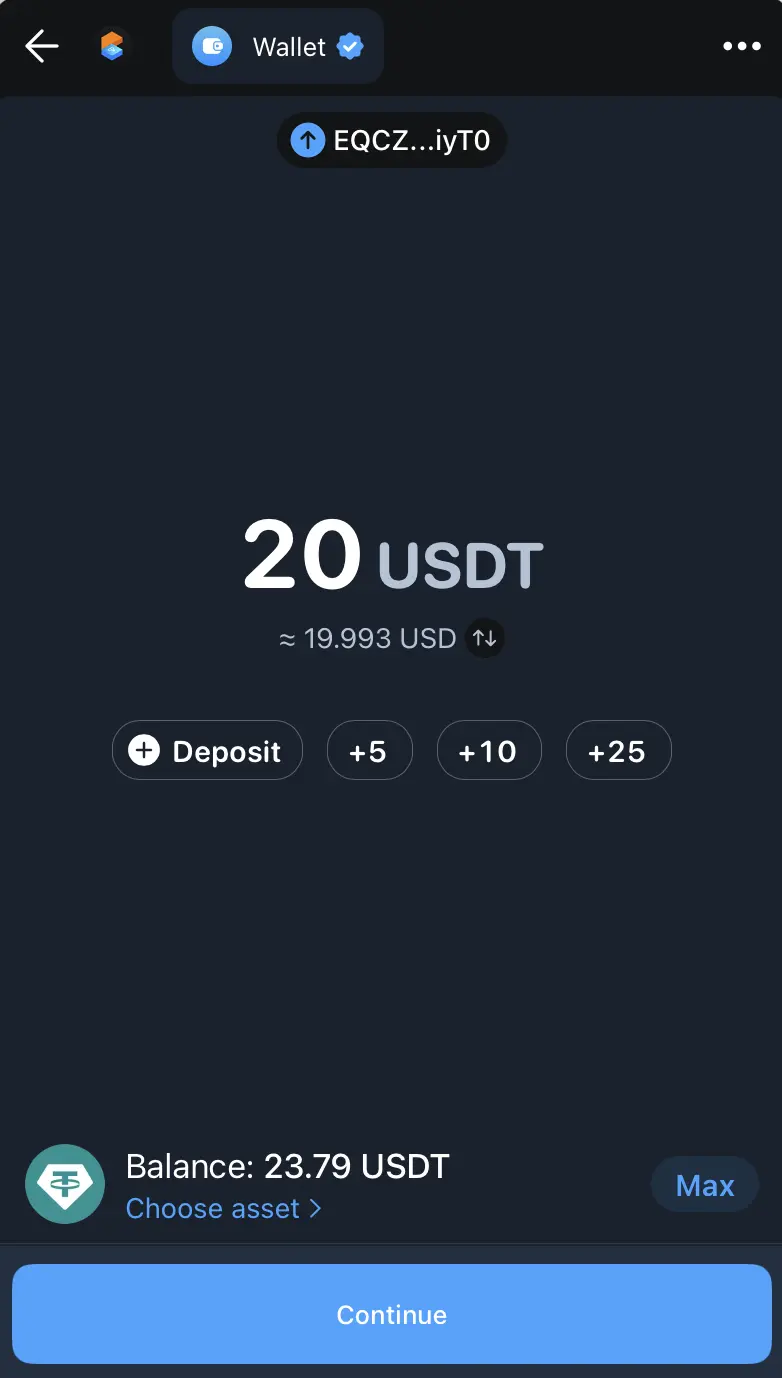
Enter desired amount and press Continue
Your funds should appear in your CCoT wallet immediately